Network & device health
Check whether agreed network equipment and connected devices are responding. Identify an offline device or a pattern of disconnections for further investigation.

EXCLUSIVELY SHOREBREAK · OPTIONAL FOR EVERY CLIENT
A dedicated Mac mini at your property. An extra layer of attention for the systems your business depends on.
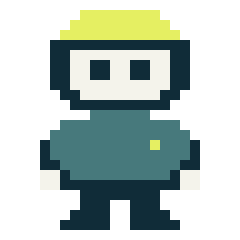
Finn runs health checks, looks for early signs of trouble, and carries out approved fixes for routine issues. When something needs a closer look, he helps the Shorebreak team investigate with the context already gathered.
PROACTIVE IT FOR HOSPITALITY
A device that keeps dropping offline. A service that has stopped responding. An internet connection that becomes unreliable before a busy weekend. Small warning signs can appear before anyone reports a problem.
Finn checks the systems included in your package and helps turn those signals into a next step. Routine issues can follow an approved recovery process; unfamiliar or recurring problems go to Shorebreak for investigation.
The goal is fewer interruptions reaching your staff and a faster start to troubleshooting when they do. What Finn can check and resolve depends on the equipment, access, and integrations agreed for your property.
WHAT FINN CAN HELP WITH
Check whether agreed network equipment and connected devices are responding. Identify an offline device or a pattern of disconnections for further investigation.
Check the connection your business relies on and help distinguish a local connectivity issue from a wider service interruption. Backup-connection checks can be included where supported.
Review supported service status and available storage where access is provided. An unresponsive service or a capacity warning can be addressed before it becomes a larger operational issue.
Run a defined fix for a known issue, such as restarting an approved service, then check whether it is responding again. The allowed actions are selected for your environment.
Help identify when the same symptom keeps returning. A repeated failure needs investigation and a lasting resolution, rather than another temporary fix.
Give Shorebreak the relevant symptoms and check results so the team can begin with useful information. Managers spend less time retracing what happened during service.
We scope these checks and workflows around your property. Device support, check frequency, available information, and automatic actions are confirmed before deployment.
FROM SIGNAL TO RESOLUTION
Finn handles the repeatable work.
Shorebreak handles the judgment calls.
Health checks establish whether the supported devices and services are behaving as expected.
Finn helps identify the symptom, the affected system, and whether a known recovery workflow applies.
A routine issue can be handled automatically within the actions authorized for that property.
Follow-up checks help establish whether the issue cleared. Unresolved or unfamiliar issues go to Shorebreak.
A ROUTINE RECOVERY WORKFLOW
A health check detects the problem. If that service has an approved restart procedure, Finn can run it and check the result. If it does not recover—or the failure keeps returning—the Shorebreak team takes over with the findings.
Recovery follows your agreed configuration. Unfamiliar faults and unsuccessful recovery attempts are escalated to the Shorebreak team.
DETECTED Supported service is unresponsive
AUTHORIZED ACTION Run the agreed recovery procedure
FOLLOW-UP Recheck service health
SHOREBREAK HANDOFF Investigate if unresolved or recurring
A LOCAL PRESENCE
Finn runs on a dedicated Mac mini installed at your business. He provides an on-site point for the checks and support workflows selected for your environment.
We plan the hardware location, power, network connection, and management as part of the installation. A dedicated device also gives the service a clear home, rather than relying on a manager’s everyday computer.
Finn needs working power and access to the systems he checks. Remote services, notifications, and team access may also depend on internet connectivity. Backup power and connectivity can be considered alongside the wider package.
DEFINED ACCESS. CLEAR RESPONSIBILITY.
Before Finn is deployed, we define what he can see, what he can change, and when the Shorebreak team needs to step in.
The deployment plan identifies the systems, accounts, and information needed for the agreed checks. Access is scoped around those tasks, rather than treating every system as available to the assistant.
We identify which routine recovery actions can run automatically and which changes need review. Work that could interrupt service, alter access, or affect business data needs a defined approval path.
We agree how unresolved issues are escalated, who is notified, and how actions and results are recorded. Your maintenance agreement defines support coverage and response expectations.
We review the information used by the checks, any external AI services or integrations involved, and applicable retention arrangements. On-site hardware alone does not mean every processing step stays inside the building.
DEVELOPED & MANAGED BY SHOREBREAK.IT
Finn is Shorebreak’s proprietary AI support assistant, developed for the way we look after client systems. He works alongside our local team and the maintenance already included in your service package.
Every client can ask to include Finn. We assess the property, select the supported checks and recovery workflows, and quote the hardware, setup, and ongoing service before installation.
A single restaurant, a hotel, or a group of locations can each have a different scope. The same approach applies: useful checks, defined actions, and a known team responsible for support.
Explore our managed IT serviceCOMMON QUESTIONS
That is the aim. Health checks can identify a problem before a staff member reports it, and an approved recovery workflow can address a known issue automatically. Detection and recovery depend on the systems covered, the checks available, and the nature of the fault. Some issues will still need a person or an on-site visit.
No. Finn adds local checks and repeatable recovery workflows. Shorebreak remains responsible for the service relationship, investigation, and work that needs technical judgment or approval.
Finn is optional and available to every Shorebreak client, subject to a property assessment and an agreed scope. We confirm the hardware, installation, ongoing costs, and supported capabilities in the proposal.
The device is installed on site. Data handling depends on the configured checks, remote management, integrations, and any external AI services used. We review those arrangements before deployment; local hardware is not a blanket promise that no information leaves the property.
Coverage is defined for the supported systems in your package. Finn cannot prevent every fault, replace failed hardware, or control an internet provider. He helps detect issues, perform approved recovery steps, and give Shorebreak a better starting point for support.
Yes. We can review your current setup and recommend a scope for Finn without requiring you to rebuild the entire environment. Contact the office or mention Finn in your quote request.
OPTIONAL ON-SITE AI SUPPORT